


SmartThings
4.669.43K Reviews
App Specs
- Version
- Varies with Device
- Updated On
- License
- Free
- Downloads
- 1,000,000,000+
- Developer
- Samsung Electronics Co., Ltd.
- Categories
- Lifestyle
- Platform
- Android, iOS
Screenshots
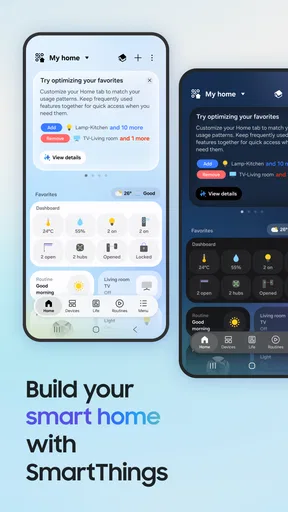
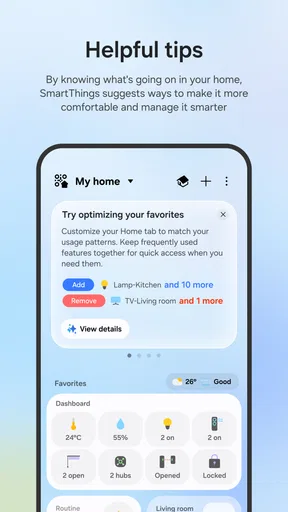
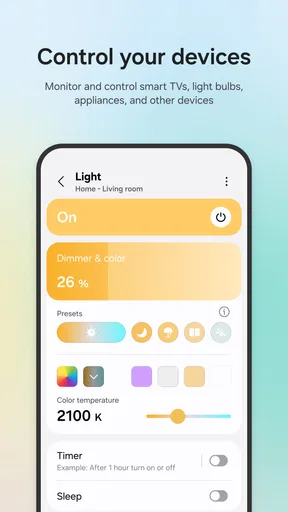
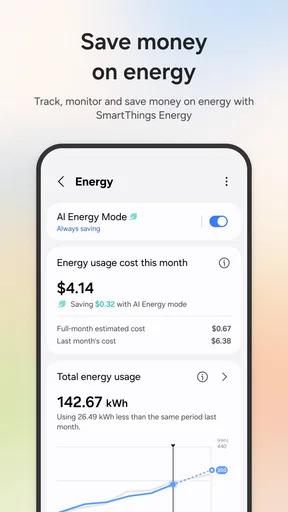
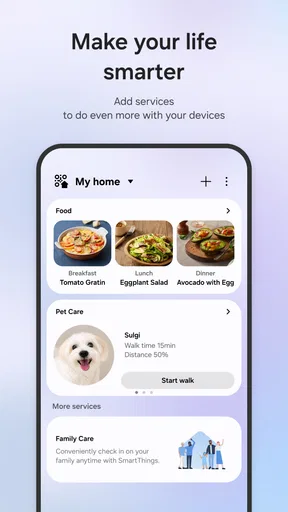
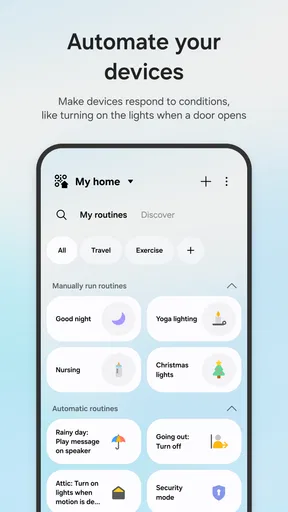
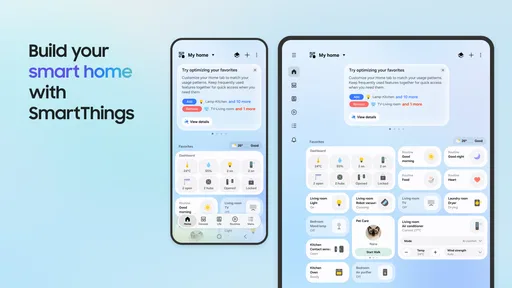
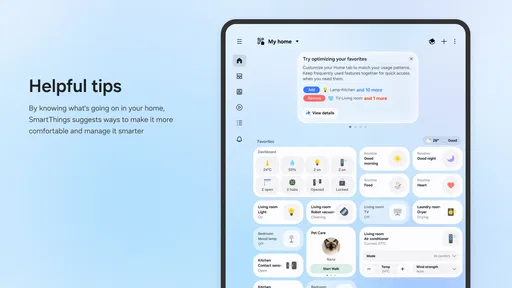
 Analysis by AppCompare
In a shared home, smart devices can become a small coordination problem: one person wants the lights adjusted, another is using the TV, and no one remembers which app controls what. I like the idea of bringing compatible equipment together in one place, but I would treat SmartThings as a household control center rather than a magic fix for every device. Its usefulness depends on what you own, how reliably your home network works, and how much everyone is comfortable managing through an app.
When one home has several users
A practical shared-use case is a living room where a Samsung TV, smart lights, and other compatible devices are used by different people throughout the day. Instead of asking someone to find a separate remote or open a different manufacturer’s app, a household member can check whether the relevant device is available in SmartThings and use the control there. That can make routine tasks less scattered, especially when the household already owns Samsung products.
I would still agree on a few basics before adding devices: which household account will be used, who is responsible for setup, and which controls everyone should feel comfortable changing. A shared app can make a device easier to reach, but it does not automatically settle disagreements about the thermostat, lighting, or TV. A simple household understanding matters as much as the interface.
Guides and Analysis on SmartThings
Setup works best with a little planning
Getting started is not just a matter of installing an app and expecting every gadget to appear. The device needs to be compatible, and the person setting it up should have access to the relevant account and network. When you add something, keep track of what it is called in the app. Clear names such as “hall light” or “living room TV” are more useful than a row of vague device labels when someone else needs to act quickly.
For a shared household, I recommend setting up and testing one device at a time. Confirm that it responds from the app before moving on, then let another person try the same control. This catches practical snags early: a device may be connected to the wrong room, or its label may not make sense to someone who did not install it. It also avoids turning a first evening with the app into a long troubleshooting session.
SmartThings is a free lifestyle app from Samsung Electronics Co., Ltd., and it is available for Android and iOS. It is rated for Everyone, which makes its intended audience broad, but that age rating should not be mistaken for a recommendation to give a child responsibility for connected appliances. I would have an adult handle account setup and device permissions, then decide together what level of access is appropriate for younger household members.
Coordination without assuming shared controls
It is worth separating “the app can bring devices together” from “every person automatically has the same access.” Account arrangements and device setup affect who can see or control things, so I would check how access works for the particular household before relying on the app as a shared remote. If a partner, roommate, or relative needs to operate a device, test that arrangement rather than assuming that installing the app on another phone is enough.
Worth Reading Before You Choose

QuizzLand Review: A Good Fit for Short Trivia Breaks, Not Every Player

Basketball Stars: Multiplayer Is Fast, but Can It Recover When Matches Go Wrong?

WEBTOON Turns Phone Updates Into a Better Reading Routine

Link to Windows Runs on Shared Habits, Not Social Feeds

How Alibaba.com Dominates the B2B Marketplace

Metro's Quiet Rise: Redefining Mobile Communication
For roommates, this distinction is especially useful. A common-area light or television may be a natural shared device, while a personal appliance or bedroom device may not be. Keeping the setup focused on genuinely shared equipment helps avoid confusion and unnecessary access. It also makes it easier to identify the right control when someone is in a hurry.
Where it fits among smart-home options
The usual alternative is to rely on each device maker’s own app, or to use a voice assistant as the main way to issue commands. Separate apps can be a better fit when you own only a few products from one brand and want that brand’s most direct controls. A voice assistant can be convenient for hands-free use, and SmartThings supports voice control through Alexa and Google Assistant. I see the app as most useful when you want a visual place to manage a mixed collection of compatible devices, while voice control can complement it rather than replace it.
That does not mean every product will offer the same depth of control in one place. Compatibility is the deciding factor, and a device’s own app may still be the better choice for settings that are specific to its manufacturer. Before buying new equipment, I would check that it works with the ecosystem and confirm that the controls you care about are available. This is a more reliable approach than assuming that a familiar brand name guarantees every feature will appear in the same way.
Trust, age, and everyday boundaries
Connected devices can affect privacy and comfort as well as convenience. Before linking an appliance, think about what it can do and who should be able to operate it. In a household with children, guests, or people who are less comfortable with technology, explain which devices are connected and how to use the controls that matter. For sensitive or safety-related equipment, keep the manufacturer’s instructions and physical controls in mind rather than treating a phone as the only way to operate it.
There is also a useful distinction between convenience and necessity. Automating a lamp or preparing a scene for a movie can make a routine feel smoother; it should not become a source of stress if a command is delayed. I would keep essential household routines simple, test automations after changing a device or network setting, and leave a familiar manual option available where possible.
The World of SmartThings
Alright, let’s dive into what makes SmartThings so, well, smart. This app is all about connecting your home’s devices in one unified ecosystem. Whether you're team Android or iOS, you're covered. The app claims to bring a seamless experience across a myriad of smart devices, and I have to admit, it does a pretty bang-up job.
Setting Up Your Smart Home
Getting started with SmartThings is surprisingly straightforward. Download the app, create an account, and you're ready to roll. The app guides you through the setup process with easy-to-follow instructions. Adding new devices is as simple as scanning a QR code or selecting your device from a list. I was impressed with how intuitive it all felt.
Once you've got your devices connected, you can automate everyday tasks. Imagine your lights dimming automatically at sunset or your thermostat adjusting itself based on your schedule. It's like living in a sci-fi movie, but it’s your real life. Wild, right?
Features That Stand Out
One of the standout features is the ability to create custom scenes. You can set the mood for a movie night or a romantic dinner with just a tap. The app also supports voice control through Alexa and Google Assistant, so you can manage your devices hands-free. I found myself feeling like a magician commanding my home with my voice.
The app also integrates with a wide range of brands, from Samsung to Philips Hue. This means you’re not limited to one brand for your devices. It’s like having an all-you-can-eat buffet of smart devices, and who doesn’t love a good buffet?
Performance and Usability
Now, let’s talk performance. The app is generally responsive and reliable. I did notice that occasionally there’s a slight delay in executing commands, but it’s not a deal-breaker. The user interface is clean and user-friendly, which makes navigation a breeze. Even if you're not tech-savvy, you’ll find your way around without pulling your hair out.
One little hiccup is that some features require a stable internet connection, so if your Wi-Fi is spotty, you might run into some issues. But hey, nothing a good router can’t fix!
The Community and Support
If you ever hit a snag, the SmartThings community and support resources are top-notch. There are forums, FAQs, and a help center to guide you through any problems. The community is pretty active, so you can often find solutions quickly. It’s like being part of a club where everyone’s got your back.
Is It Worth It?
So, is the app worth downloading? In my opinion, absolutely. It’s a robust platform that’s easy to use and integrates well with a variety of devices. If you're ready to take your home into the future, this app might just be your gateway.
Overall, managing smart devices this way can feel less like a chore and more like an adventure. Whether you're a tech enthusiast or just someone looking to simplify daily life, it’s worth a try if you already own compatible equipment or plan to build around it. With an average rating of 4.6 from around 4.9 million ratings, over a billion installs, and roughly 68,000 written reviews, it has clearly reached a large audience. I would skip it if you have no compatible devices, prefer not to connect household equipment to an account, or only need one manufacturer’s basic controls. For everyone else, my household verdict is positive: start small, check compatibility, keep access boundaries clear, and add automation only when it genuinely makes daily routines easier.
Pros
- Easy integration with multiple smart devices.
- User-friendly interface and navigation.
- Customizable automation routines.
- Reliable performance and connectivity.
- Supports a wide range of brands.
Cons
- Limited offline functionality.
- Occasional connectivity issues.
- Some features require premium devices.
- Setup can be complex for beginners.
- Requires frequent app updates.
FAQs for SmartThings
What is SmartThings, and what can it do?
SmartThings is a versatile home automation platform that connects a wide range of smart devices, allowing you to control everything from lights and locks to thermostats and security cameras. It provides a centralized app interface where you can automate tasks and create custom routines to make everyday life more convenient and efficient.
Is SmartThings compatible with my existing smart home devices?
SmartThings supports a vast array of devices from multiple brands, making it highly compatible with many existing smart home systems. It works with popular standards like Zigbee and Z-Wave, and supports devices from brands such as Samsung, Philips Hue, and Amazon Alexa. Always check the compatibility list on the SmartThings website for specific device support.
How secure is the SmartThings app?
Security is a priority for SmartThings, which employs encryption and secure connections to protect user data. However, users should regularly update the app and connected devices to the latest versions to ensure optimal security. Additionally, using strong, unique passwords and enabling two-factor authentication can further enhance security.
Do I need a SmartThings hub for the app to work?
While a SmartThings hub enhances the platform's capabilities by connecting Zigbee and Z-Wave devices, many features can be accessed without it. You can still use the app to control Wi-Fi-enabled devices and integrate with services like Google Assistant and Amazon Alexa without a hub. For full functionality, particularly with certain third-party devices, a hub is recommended.
Is there a subscription fee for using SmartThings?
The SmartThings app itself is free to download and use, with no mandatory subscription fees. However, some connected devices or third-party services might have their own costs. Users should check the terms of each device or service integrated with SmartThings to understand any potential additional fees.


